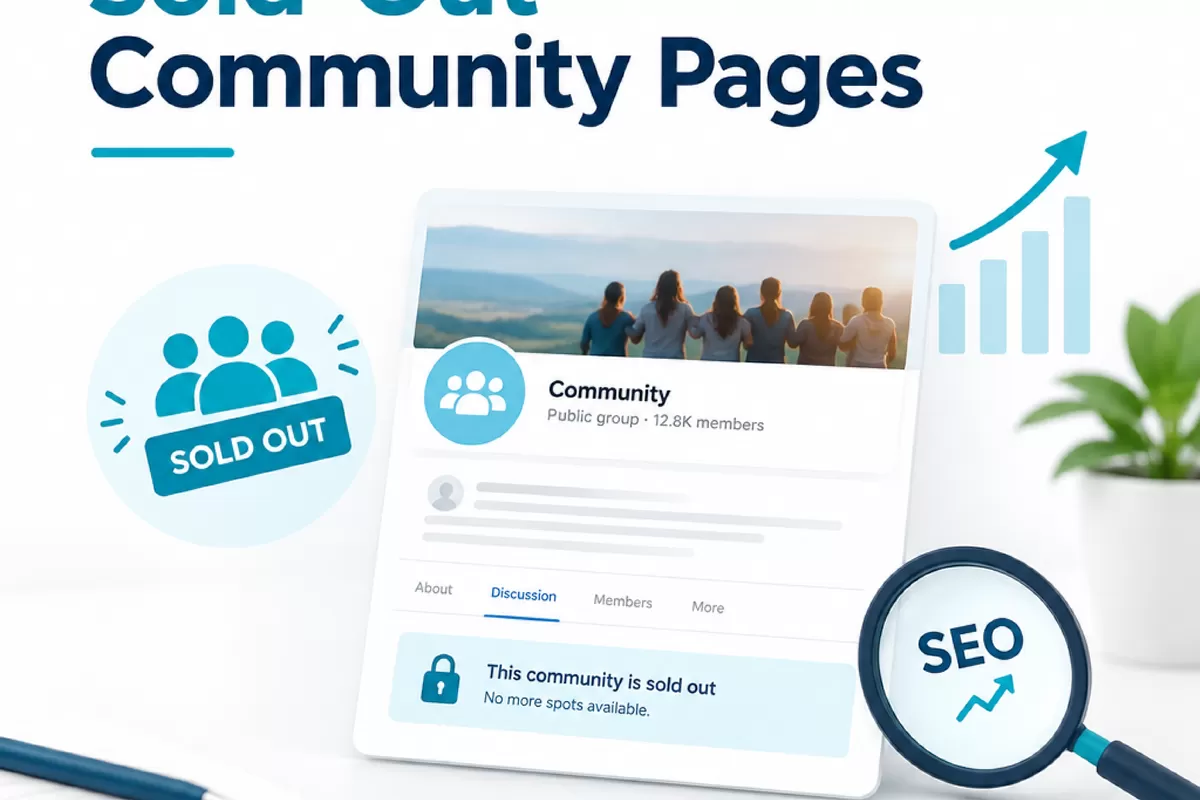
A community page can stay useful after its homes sell out, but leaving outdated availability online can frustrate buyers and weaken trust. Deleting it or redirecting it without checking its purpose can also remove useful information and disrupt links that point to the page.
There is no blanket rule for sold-out community pages. The right choice depends on what buyers still need, whether the page has useful search or referral traffic, and whether a genuinely relevant replacement exists. This decision guide walks through how to assess the page, choose an action, and verify the change.
Why sold-out community pages need a deliberate decision

A community page is often more than a list of available homes. It may describe the neighborhood, location, amenities, home styles, builder, or the process for contacting the sales team. After the last home sells, some of that information may still help people researching the area or looking for other opportunities from the builder.
At the same time, a page that says homes are available when they are not can create a poor first impression. Buyers may click through from search results, an old listing, or an internal link and find stale pricing, expired incentives, or a contact form that suggests the community is still active. That mismatch is a content and customer experience problem, not just an SEO issue.
Start by identifying the page’s current role. Check whether it gets organic visits, leads, or referrals; whether other site pages link to it; and whether outside sites link to it. If analytics or search performance data is available, review a useful period rather than relying on a single recent week. A page with little visible activity can still serve a buyer who has bookmarked it or followed an old link.
Look at the page from a buyer’s perspective, too. Does it answer a question someone might still have after sales close? Is it clear that the community is sold out? Does it point to a real next step? Those answers help establish whether to preserve the page, revise it, replace it, or remove it.
How to decide whether the page still serves buyers
Use evidence from the page, the site, and the sales team. A quick review should include the current page content, the destination of its calls to action, and any connected inventory or lead forms. Confirm the sales status with the people responsible for the community before making public changes. A site update based on an incomplete handoff can leave inaccurate information in place.
Consider keeping and updating the page when it still answers useful questions or has a clear role for visitors. For example, the community details may remain relevant even if no homes are for sale. The page could explain that sales have ended and direct people to active communities or a general contact option, if those are appropriate destinations on the site.
Consider a more substantial change when the content is mostly about unavailable homes, dated incentives, or time-sensitive details that can no longer be verified. If there is no lasting buyer value and no relevant replacement, removal may be more honest than maintaining a misleading page. The decision should account for the page’s visibility and links, not just whether its inventory is gone.
- Buyer usefulness: Can a visitor still get accurate information or take a relevant next step?
- Page performance: Does it receive search visits, referrals, or inquiries worth understanding?
- Site connections: Do navigation, community listings, or related pages still point to it?
- External references: Are other sites linking to the URL, and what context do those links provide?
- Content accuracy: Can the builder maintain the information and clearly explain the sold-out status?
These checks are inputs, not an automatic scoring formula. A page with no recent leads may still deserve a useful status update. A page with traffic may still need correction if the information misleads visitors. Weigh the evidence together and record why the chosen action makes sense.
What to update on a sold-out community page
If the page remains useful, make its status easy to understand near the top. State that sales have ended, where relevant, and remove language that implies homes are currently available. Review page titles, calls to action, forms, pricing, incentives, floor plans, and availability details. Remove or qualify information that is no longer accurate rather than leaving it to imply an active offer.
Give visitors a clear next step that actually works. Depending on the site and the builder’s process, that might be a link to currently active communities, a general inquiry route, or contact information for questions about the completed community. Check that any form routes to the right team and does not collect inquiries under an outdated community label without context.
Keep information that remains reliable and helpful. Location details, a description of the community, or other lasting facts may still answer buyer questions. Do not assume every detail should stay: confirm it with the relevant internal team, and remove claims that cannot be verified. If the page includes photos, plans, or other materials tied to a past offer, make sure their continued use is appropriate for the site’s content and business process.
Use headings and page copy that reflect the new status. The goal is not to repeat “sold out” throughout the page. It is to make the status unambiguous while preserving useful context. A concise status message paired with a relevant next step is usually clearer than keeping an active-sales template and adding a small note at the bottom.
Also review the page’s search appearance. The title and description shown in search results may still describe homes for sale or current incentives. Update them if they are inaccurate. Search engines may take time to reflect page changes, so the on-page message should be clear in the meantime.
When a redirect makes sense, and when it does not
A redirect sends visitors and search engines from one URL to another. It can be appropriate when the original page has a clear, closely related destination that serves the same need. For example, if an active page genuinely covers the same community information, it may be a sensible destination. A related page about current communities might also help visitors if the content and next step are a reasonable match.
Do not redirect every sold-out page to the homepage simply because it is available. A broad destination may not answer the visitor’s original question, and it can make the move feel arbitrary. The same is true of sending a page to a different community that shares only a general location or builder. Similarity should be judged by what a visitor expects to find, not just by whether the destination is on the same site.
If there is no genuinely relevant replacement, a redirect may not be the best choice. Depending on the site’s purpose and the page’s remaining value, keeping an updated sold-out page or removing it may be more accurate. A missing page can return a 404 response, while a 410 response indicates that a page has been intentionally removed. The technical choice should fit the situation and the site’s setup, rather than being applied as a universal rule.
Review redirects in the context of each site. Match the destination to the original page’s purpose, and do not treat a homepage redirect as a default fix.
Before changing the URL, document the old page, its proposed destination, and the reason for the change. Check whether the destination is live, accessible, and useful on mobile. If several pages are being retired, assess each one individually instead of sending them all to a single general page.
Decision flow: keep, update, redirect, or remove
This short flow can help a marketing team make a consistent first decision. It does not replace a technical review when the site has complex templates, large numbers of URLs, or uncertain tracking.
- Is the page accurate and still useful to buyers? If yes, keep it and check whether its availability and next steps are clear. If not, continue.
- Can the page be updated with reliable, lasting information? If yes, revise it to explain the sold-out status and provide an appropriate next step. If no, continue.
- Is there a live replacement that closely matches the page’s purpose? If yes, evaluate a redirect to that specific destination. If no, do not force a broad redirect.
- Does the page have meaningful links, visits, or site dependencies? If so, review the impact of removal and plan how to handle internal links and visitor expectations.
- Is the page no longer useful, with no suitable replacement? Removal may be appropriate. Choose the response and technical handling based on the site’s needs, then test the result.
In practice, the decision may require input from marketing, sales, and whoever manages the site. Marketing can review search and referral performance. Sales can confirm whether inquiries should still be accepted. The site owner or developer can identify template dependencies, redirect rules, and tracking that may be affected.
For teams reviewing a broader community-page strategy, seo for home builders can include technical fixes, local visibility, ranking content, ethical link building, and reporting tied to leads. Specialist review can be helpful when many pages are changing, redirects are unclear, or the site’s tracking and URL setup need a closer look.
Check internal links, errors, and results after a change
Once a page is updated, redirected, or removed, check how the rest of the site refers to it. Review the community directory, location pages, menus, related content, and any buttons or calls to action. Update internal links so visitors do not have to pass through an unnecessary redirect or reach a dead URL. If a page stays live with a sold-out message, remove links that label it as active inventory.
Test the old and new URLs in a browser and, where available, with a site crawl or technical SEO tool. Confirm that a redirect goes directly to the intended destination, not through a chain of redirects. Check that the destination returns a working page, that the old URL does not redirect somewhere unrelated, and that mobile visitors can use the page or form. If the page is meant to be removed, confirm the site returns the intended response rather than an error template that looks like a normal page.
Review analytics and search performance after the change using the measures relevant to the page. Look for visits to the old URL, visits to the destination, form submissions, and crawl or indexing issues where those tools are available. This is verification, not a guarantee that a particular search outcome will follow. Search systems need time to process changes, and reported data can be incomplete or delayed.
If you find a broken internal link, an unexpected redirect, an error response, or a drop in relevant inquiries, investigate the cause before making more changes. Keep a record of the URL, action, date, destination, and reason. That simple change log helps teams understand what happened later, especially when site updates involve multiple communities or departments.
Seek a technical review when the change affects a large set of URLs, when the site uses complicated redirect rules, or when the page relies on templates and inventory integrations. A review is also worthwhile if search traffic or lead tracking behaves unexpectedly after launch. A specialist can check crawlability, redirect behavior, internal links, and reporting setup, but the final page decision still depends on accurate business information and buyer needs.
Final review checklist before you close the task
Before marking the page update complete, confirm both the visitor experience and the technical behavior. A quick checklist reduces common oversights, such as removing a page while leaving a navigation link behind or redirecting visitors to a destination that does not answer their question.
- Sales or operations has confirmed that the community is sold out.
- The page clearly states its current status, or the old URL has an intentional, relevant destination.
- Outdated availability, pricing, incentives, and calls to action have been reviewed.
- Any remaining community information is accurate and useful to visitors.
- Forms and contact routes work and reach the appropriate team.
- The redirect decision, if any, is based on this page and site, not a blanket rule.
- Internal links and community navigation no longer point to the wrong URL.
- The old URL and destination have been tested for errors, redirect chains, and mobile usability.
- Relevant traffic, inquiries, and technical signals can be checked after the change.
The safest approach is to treat each sold-out page as a buyer-facing resource with its own history and purpose. Keep it when it remains useful, update it when the information can be made clear and accurate, and redirect it only when a close replacement exists. If none of those options fits, document the reason for removal and verify the technical outcome. That process helps protect visitor trust while giving the site team a clear basis for each decision.